
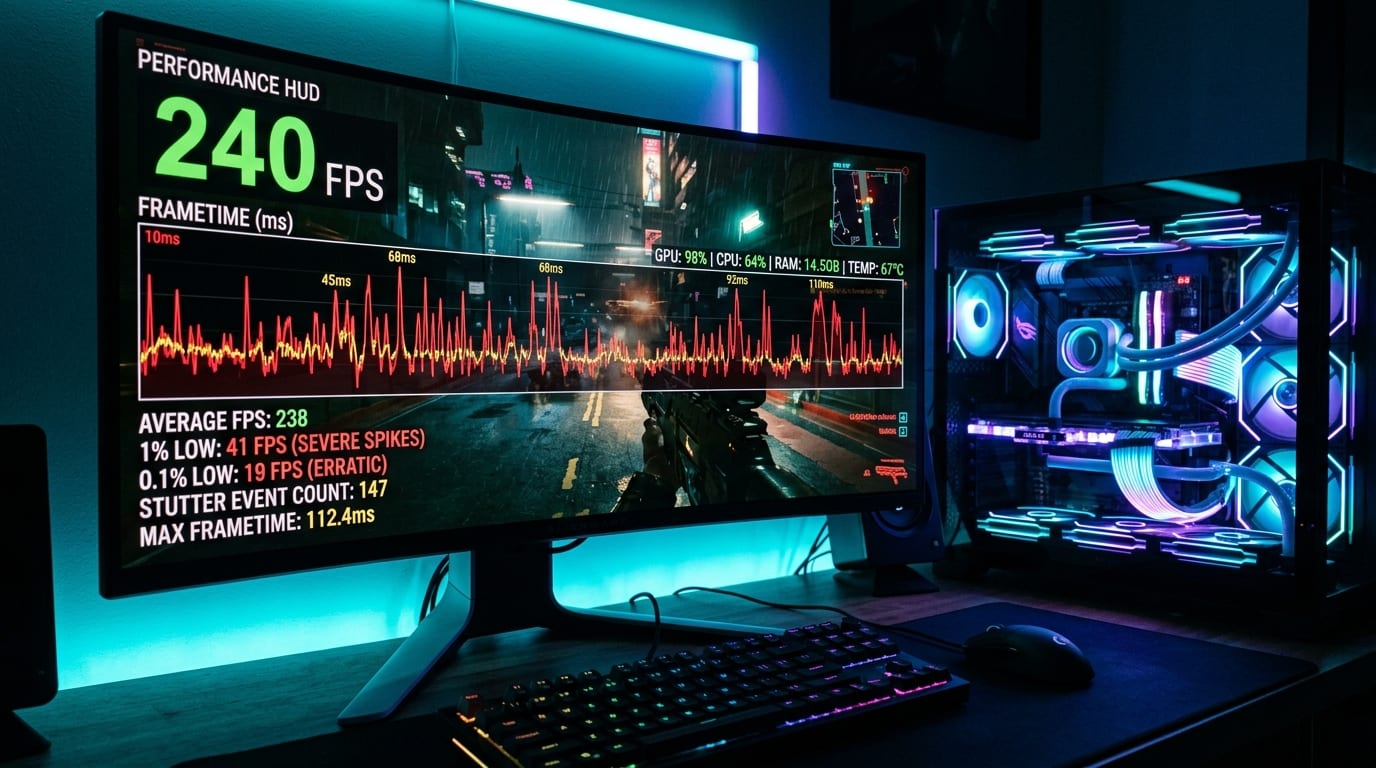
Every PC gamer has lived through both sides of the modern shader dilemma. Either you boot a new release and watch all 16 threads of your CPU spin to 100% load for four minutes while a "Compiling Shaders (0%–100%)" bar crawls across the title screen—or worse, the developer skipped the pre-compilation step and the game freezes for 150 milliseconds the first time a boss casts a fire spell.
Why did this become such a defining topic in the DirectX 12 and Vulkan era, and why don't consoles have to do it?
Title: Console Fixed Silicon vs. PC DXIL Bytecode Compilation
Badge: Graphics Systems
- Why Consoles Skip It: Every PS5 shares the exact same custom AMD RDNA GPU instruction set architecture (ISA). Developers compile final machine-code binaries offline at the studio and ship them directly on the disc/download.
- Why PCs Must Compile Locally: A PC game cannot ship pre-compiled machine code for 400 different NVIDIA, AMD, and Intel GPU microarchitectures across 50 future driver versions. Instead, games ship intermediate bytecode (`DXIL` or `SPIR-V`), which your local GPU driver (`nvlddmkm.sys` / `amdkmdag.sys`) must compile into native hardware instructions.
- What a PSO Contains: In DirectX 12, a Pipeline State Object (PSO) bundles the Vertex Shader, Pixel Shader, Blend State, Rasterizer State, and Render Target Format into a single immutable hardware state.
Why DirectX 12 Made Missing a Single PSO So Noticeable
In the older DirectX 11 era, the graphics driver managed pipeline states dynamically behind the scenes. Today, DirectX 12 and Vulkan give game engines low-level, bare-metal control by requiring the engine to construct immutable Pipeline State Objects (PSOs) ahead of time.
If an engine has 2,000 base materials and 30 lighting/fog/skinning switches, the combinatorial explosion can create over 60,000 unique PSO permutations. If even one of those permutations was missed during the initial title-screen pre-compilation pass, the main render thread must halt mid-frame when that particle effect spawns, hand the DXIL bytecode to the GPU driver, wait 40ms to 200ms for the driver compiler to optimize registers, and only then draw the frame.
How Unreal Engine 5.4 / 5.5+ and Driver Caches Are Solving It
Thankfully, 2025 and 2026 have brought major engineering breakthroughs to eliminate PSO stutter:
1. Automated PSO Precaching (`r.PSOPrecache=1`): Instead of relying solely on human QA testers walking into every corner of a 100-hour RPG to record a bundled PSO cache file (`upipelinecache`), UE5 now inspects component materials asynchronously as assets stream in from the NVMe SSD—compiling the exact PSOs needed on background worker threads seconds before the object becomes visible on screen.
2. Dynamic Shader Binding & Work Graphs: By reducing static shader permutation counts and moving conditional material logic into bindless descriptors, studios cut initial title-screen shader compilation times from 8 minutes down to under 45 seconds.
If you ever experience a crash during a heavy shader compilation pass, check our community-verified troubleshooting checklist in the Forum Guide to Fixing UE5 Shader Compilation Crashes.