
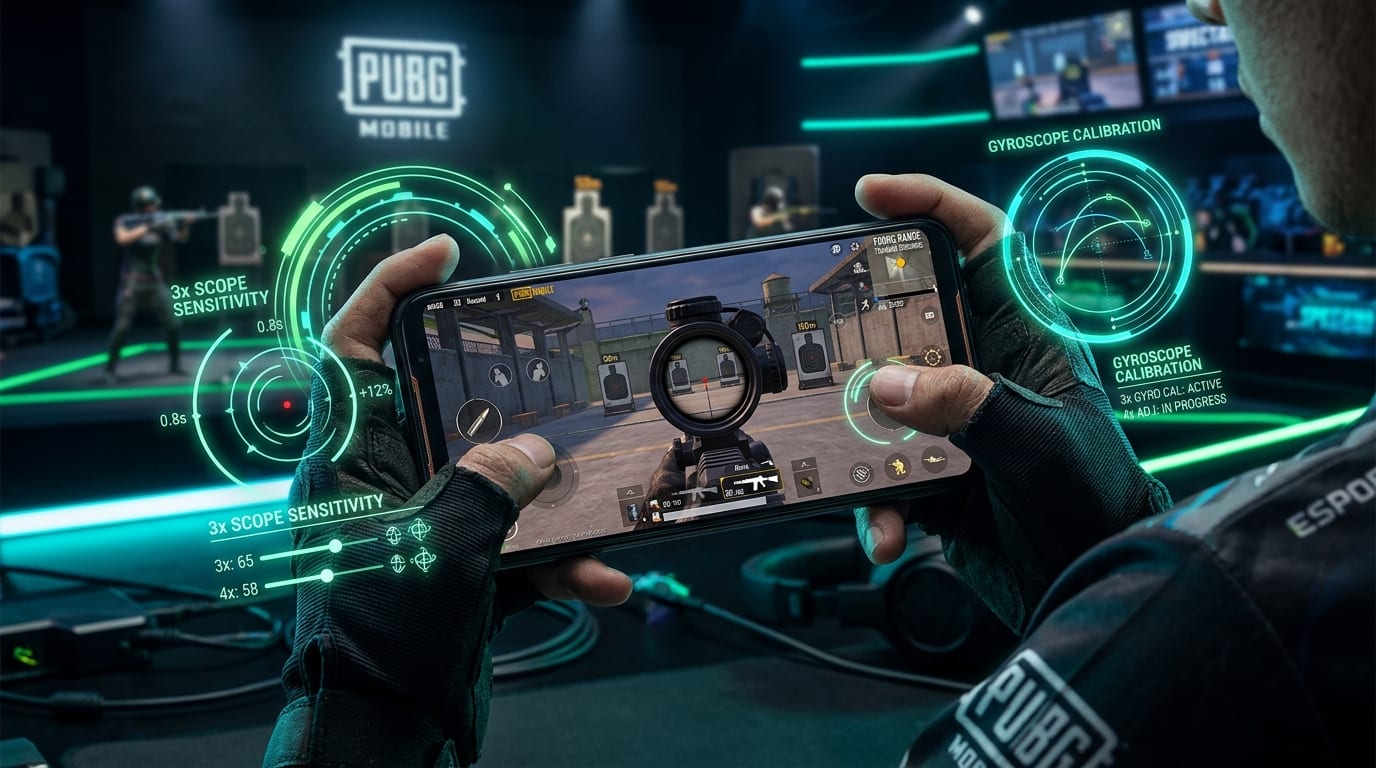
Last checked: September 27, 2026. This tactical calibration guide incorporates verified 90/120 FPS device gyro polling tests, ADS gyroscope mechanics, and competitive mid-range spray drills for PUBG Mobile.
Title: Official Calibration Guide Download
Badge: PDF Document Available
Download the complete, printable version of this PUBG Mobile 3x and 4x Gyro Calibration Guide for quick reference in your training ground drills:
- Download Calibration Guide PDF: PUBG Mobile 3x & 4x Gyro Sensitivity (6.5 KB, Calibration Tables & Troubleshooting Matrix)
Title: Critical Version Note
Badge: Calibration Foundation
Sensitivity values are starting points, not universal truths. PUBG Mobile can change its controls, weapon behavior, and performance across updates, while phone size, frame rate, touch response, gyro hardware, grip, and play style all change how a number feels. Record your current settings before testing.
The Trap of "Zero Recoil" Sensitivity Codes
A 3x spray can look perfect in someone else’s highlight and completely fall apart on your phone. You copy the sensitivity, open the training ground, pull down on the recoil, and watch the crosshair drag below the target. Raise the number and the spray climbs back up, but now the reticle shakes whenever you try to track sideways.
That is the trap with "zero recoil" sensitivity videos. They make a personal calibration look like a universal code. The 3x and 4x sliders are not magic recoil removers; they control how much your device’s tilt input moves the aim while you are looking through those scopes. Your weapon, attachments, frame rate, grip, and the way you combine thumb drag with gyro all affect the result.
The better approach is to use a sensible starting range, test the same weapon and distance repeatedly, and adjust one scope at a time. For many gyro players, the 3x begins in the neighborhood of 170–190% and the 4x around 150–170% as a practical starting point. One current sensitivity guide lists 180% for 3x and 160% for 4x, but those numbers should be treated as a baseline rather than a promise.
This guide shows how to turn that baseline into settings that fit your device and your spray style.
---
The Short Answer: Start Here, Then Calibrate
Use the following as a starting profile for a player who keeps the gyroscope enabled while aiming and wants to control automatic-fire recoil at mid range:
| Setting | Starting Point | Adjustment Range to Test | Primary Role in Spray Control |
|---|---|---|---|
| 3x Gyroscope | 180% | 160–200% | Mid-range target tracking and rapid lateral adjustment |
| 4x Gyroscope | 160% | 140–180% | Precision burst control and extended-range spray stability |
| 3x ADS Gyroscope | 170–180% | 150–200% | Active downward tilt compensation during automatic fire |
| 4x ADS Gyroscope | 150–160% | 135–175% | Stabilized pull-down under magnified bullet climb |
Title: Recommended Scope Gyroscope Sensitivity Starting Values
Badge: Baseline Profile
3x Gyroscope: 180% | 180 | emerald | Optimal baseline for moving target tracking
4x Gyroscope: 160% | 160 | cyan | Reduced value to suppress high-magnification jitter
3x ADS Gyro: 175% | 175 | emerald | Direct pull-down compensation while firing
4x ADS Gyro: 155% | 155 | cyan | Calibrated for tighter grouping at 60-90m
Red Dot / Holographic: 280% | 280 | purple | Fast close-quarters snap aiming
The exact relationship between Gyroscope and ADS Gyroscope depends on how you use the control system:
- If Gyroscope is set to Always On, you can use tilt input before and during firing.
- If it is enabled only while aiming down sights, the ADS Gyroscope value becomes more important for the spray itself.
Critical Rule: Do not change all four values at once. Start with the mode you use during the actual spray, then test the 3x and 4x separately. If you cannot tell which slider affected the result, the test is not giving you useful information.
---
What the Three Sensitivity Categories Do
PUBG Mobile’s sensitivity menu separates different kinds of camera and aim movement. The labels can be confusing because they all use percentages, but they do not all solve the same problem:
- Camera Sensitivity: Affects how quickly your view moves when you look around or aim without firing. It influences target tracking and how easily you can scan, but it does not directly control the vertical recoil movement while bullets are being fired.
- ADS Sensitivity: Affects touch-drag behavior while aiming and shooting. It matters if you pull the screen to control recoil or combine thumb input with gyro. A player who uses gyro heavily may need less ADS input than a player who uses the thumb for most of the pull-down.
- Gyroscope Sensitivity: Controls how strongly tilting the device moves the aim. This is the main category for players who use wrist or finger movement to counter recoil and track targets.
- ADS Gyroscope Sensitivity: Controls gyro movement while aiming and firing when that option is active in your setup. In practice, this is the value that many players feel most directly during a 3x or 4x automatic spray.
If you change Camera Sensitivity expecting the recoil to change and nothing happens, that is normal. You adjusted the wrong part of the pipeline.
---
Why 3x and 4x Need Different Settings
The 3x and 4x are both common spray scopes, but they are not interchangeable:
1. Magnification Amplification: The 4x magnifies the target more and makes small hand movements more visible. A value that feels quick and responsive on the 3x may feel nervous on the 4x, especially when your phone has a large screen or your grip is not anchored.
2. Engagement Distances & Lateral Tracking: The 3x is often used for moving targets and medium-range automatic fire (30–60 meters). It needs enough response to follow lateral movement while you pull down against recoil.
3. Micro-Correction Stability: The 4x is more sensitive to small corrections and is often used at a slightly greater distance (60–100 meters), so many players prefer a lower value (around 150–160%) to reduce shake.
That is why a starting profile such as 180% for 3x and 160% for 4x makes sense as a test. The gap is not a law. Some players prefer the values closer together; others lower the 4x substantially because the extra magnification amplifies every small tilt.
---
A Ten-Minute Calibration Drill
The fastest way to find your settings is not to play ten matches and guess which death was caused by sensitivity. Use a controlled training drill that gives you the same target, weapon, distance, and attachment setup:
Title: The 5-Step Training Ground Calibration Drill
Badge: 10-Minute Routine
- 1. Choose One Weapon and One Baseline: Start with the automatic rifle or SMG you use most often (e.g. M416). If you are tuning for a particular loadout, use that weapon instead of switching between several recoil patterns. Attach the same muzzle, grip, magazine, and stock you normally use. Record the current 3x and 4x values in a note or screenshot. Use a stable graphics and frame-rate setting while calibrating—sensitivity cannot compensate for a phone that drops frames or heats up until throttling halfway through the test.
- 2. Test the 3x at a Repeatable Distance: Choose a target at the distance where you normally use the 3x (40m-50m). A mid-range distance is more useful than point-blank hip-fire because it reveals both recoil control and tracking. Fire a full magazine while keeping the reticle on the same target. Note: Does the spray climb? Does it sink below the target? Does the aim shake or drift sideways when tracking?
- 3. Adjust the 3x, Then Apply the Same Method to the 4x: If the spray climbs, raise 3x gyro in small steps (+3% to +5%). If it sinks, lower it. Once the 3x is stable, move to the 4x starting near 160%. Because 4x magnification makes small movements more obvious, use smaller increments (±2% to ±3%).
- 4. Test Movement, Not Only a Still Target: A sensitivity that looks good on a stationary target can fail when the target moves. Strafe left and right, track across moving targets, crouch and stand if those are part of your real fights, and repeat the spray. Your goal is a setting that lets you make small corrections without fighting the device.
- 5. Play One Short Match Before Changing Again: Training drills are controlled, but matches add pressure, movement, audio distractions, and different distances. Play a short session with the same settings before making another adjustment. If you change values after every missed spray, you constantly erase muscle memory.
---
How to Diagnose the Most Common 3x and 4x Problems
Use this diagnostic matrix to troubleshoot spray anomalies in the training ground or in match play:
| What You Feel | Likely Sensitivity Adjustment | What Else to Check |
|---|---|---|
| Spray climbs even with a steady downward tilt | Raise the relevant gyro value slightly (+3% to +5%) | Weapon attachments, frame drops, and whether ADS Gyro is enabled |
| Spray sinks below the target | Lower the relevant gyro value slightly (-3% to -5%) | Whether your thumb is also dragging down too aggressively |
| Crosshair shakes around the target | Lower sensitivity slightly (-2% to -4%) | Grip stability, device size, high refresh-rate consistency, and touch response |
| Tracking feels slow but recoil is stable | Raise the value in small steps (+2% to +3%) | Camera/ADS sensitivity and whether target distance is too long for the scope |
| 3x feels good but 4x is nervous | Lower 4x rather than changing 3x | Magnification difference, hand tremor, and overcorrection |
| Sprays work standing still but fail while moving | Recalibrate with active strafing drills | Movement button placement, grip tension, frame pacing, and weapon choice |
| Settings feel different after an update | Recheck the controls and sensitivity profile | Patch changes, reset settings, device refresh rate, and imported layouts |
Sensitivity is not the only cause of recoil inconsistency. A different weapon, attachment combination, range, frame rate, or camera angle can make the same value feel wrong.
---
Gyro-Only vs. Mixed-Control Players
Every competitive player falls into one of two control philosophies:
1. Gyro-Only Players: A gyro-only player uses tilt input for almost all aim correction. They often prefer higher scope gyro values (180%–220%+) because the device does the vast majority of the vertical and horizontal pull-down work.
2. Mixed-Control Players: A mixed-control player uses gyro for fine micro-control while the thumb handles larger initial pull-down and horizontal tracking. That player often prefers lower gyro values (145%–170%) because the two inputs work together in synergy.
Neither style is more "correct." The important thing is to calibrate the control method you actually use in a fight. Do not borrow a gyro-only sensitivity profile if you routinely drag the screen during a spray.
If you are new to gyro, avoid jumping straight to extremely high values because a creator calls them "zero recoil." Start around the middle of the suggested range (180% for 3x, 160% for 4x) and give yourself time to learn the motion. A sensitivity that feels slow for the first five minutes may become controllable once your hands stop making large, panicked corrections.
---
Device and Performance Factors That Change the Result
External hardware variables fundamentally alter how sensitivity translates into reticle motion:
- Screen Size and Grip: A tablet, a large phone, and a compact phone do not create the same physical movement for the same percentage setting. Your grip also changes how precisely you can tilt and stabilize the device. A claw layout with four or five fingers engaged may feel vastly different from a relaxed two-thumb grip.
- Frame Rate and Frame Pacing: If the game is dropping frames, aim feedback feels inconsistent even when the slider is untouched. Always calibrate on the graphics and frame-rate mode you plan to use in matches (e.g. Smooth + 90 FPS or 120 FPS). If your device gets hot and throttles performance after ten minutes, test again after a full session rather than trusting a cold-start result.
- Gyroscope Hardware and Sensor Behavior: Different phones report gyro movement differently. Sensor filtering, polling rates, calibration, and operating-system behavior all influence responsiveness. This is the primary reason why a pro player’s exact sensitivity code rarely transfers cleanly to a different phone model.
- Touch Sampling and Display Response: Sensitivity cannot remove display or touch latency. If swipes feel delayed or inconsistent, check device performance, touch sampling settings, screen protectors, and background thermal throttling before boosting gyro numbers to compensate.
---
Title: Why "No Recoil" is the Wrong Promise
Badge: Tactical Verdict
A sensitivity setting can make recoil easier to control. It cannot remove the weapon’s recoil model, bullet spread, movement penalties, range limitations, or human error. It also cannot make a poor frame-rate configuration feel like a stable high-refresh display. Treat "no recoil" as a search phrase, not a technical guarantee. A slightly slower, predictable sensitivity that you control consistently under tournament pressure is vastly more valuable than a fast value that looks impressive for one magazine and breaks down while strafing.
---
A Practical Starting Profile for 3x and 4x Sprays
For a player who wants a balanced, gyro-focused starting point, enter these values into your sensitivity screen:
- 3x Gyroscope: 180%
- 4x Gyroscope: 160%
- 3x ADS Gyroscope: 175%
- 4x ADS Gyroscope: 155%
- Gyroscope: Always On if you want tilt control while scanning and tracking; otherwise use the mode that matches your normal play style.
Test the 3x first. If it climbs, move up by a small step; if it sinks or shakes, move down. Then repeat separately for the 4x. Keep a short log such as:
- "3x 180: climbs slightly"
- "3x 185: stable but twitchy"
- "3x 182: best while strafing"
This iterative log is far more effective than repeatedly copying new 19-digit creator codes.
---
The Settings Are Only Half the Improvement
Use the training ground regularly, but keep the drill specific. Practice a few full sprays at the ranges you actually fight, then add movement and target tracking. Do not spend all your practice firing at a stationary wall from one distance; that teaches a narrow behavior that does not transfer to chaotic match endgames.
Keep the same sensitivity for enough sessions to build a baseline reference point. If you make a change, make it small (±2-3%) and record it. If your performance is inconsistent across the day, check device temperature, battery state, and frame stability before blaming the numbers.
The best 3x and 4x gyro sensitivity is the one that gives you enough movement to counter recoil without forcing constant overcorrection. Start near 180% and 160%, calibrate with a repeatable drill, and let your device—not a generic "zero recoil" promise—decide where the final values belong.
---
References & Recommended Reading
- [1] XPPen, Zero Recoil Best Sensitivity Settings for PUBG Mobile
- [2] ReviByte, Best Sensitivity Settings for PUBG Mobile 2026
- [3] PUBG Mobile Community Sensitivity Discussions & Competitive Meta
- Test frame pacing and thermal throttling with our FPS & Performance Calculator.
- Compare your device specs with the PC & Mobile Game Requirements Checker.
- Download the Official Calibration Guide PDF for offline reference.