
By Marcus Vance, Senior Hardware & Systems Editor at Game Vault Forum. Published September 8, 2026.
Every gamer who follows modern releases—from Black Myth: Wukong and S.T.A.L.K.E.R. 2 to Hellblade II and Silent Hill 2—has heard developers praise Epic Games’ Unreal Engine 5 (UE5).
Yet beneath marketing buzzwords like Nanite, Lumen, and Virtual Shadow Maps, many gamers wonder: what do these technologies actually do under the hood? Why do they make games look photorealistic? And why do UE5 PC ports so frequently suffer from frame stutter and heavy hardware demands?
Here is our clear, architectural guide to understanding the engine technology powering modern interactive media.
---
1. Nanite: The Death of Geometric Pop-In
In traditional 3D video game engines, every 3D object (a rock, a tree, a gothic cathedral statue) was built using multiple Levels of Detail (LODs):
* When you stood right in front of a statue, the engine loaded LOD 0 (high polygon count, e.g. 50,000 polygons).
* As you walked 30 meters away, the engine swapped the mesh to LOD 1 (20,000 polygons).
* Walk 100 meters away, and it swapped to LOD 2 (5,000 polygons).
This resulted in that distracting immersion-breaking artifact every gamer hates: geometry pop-in, where rocks and buildings suddenly shift shape as you move forward.
How Nanite Changes the Game:
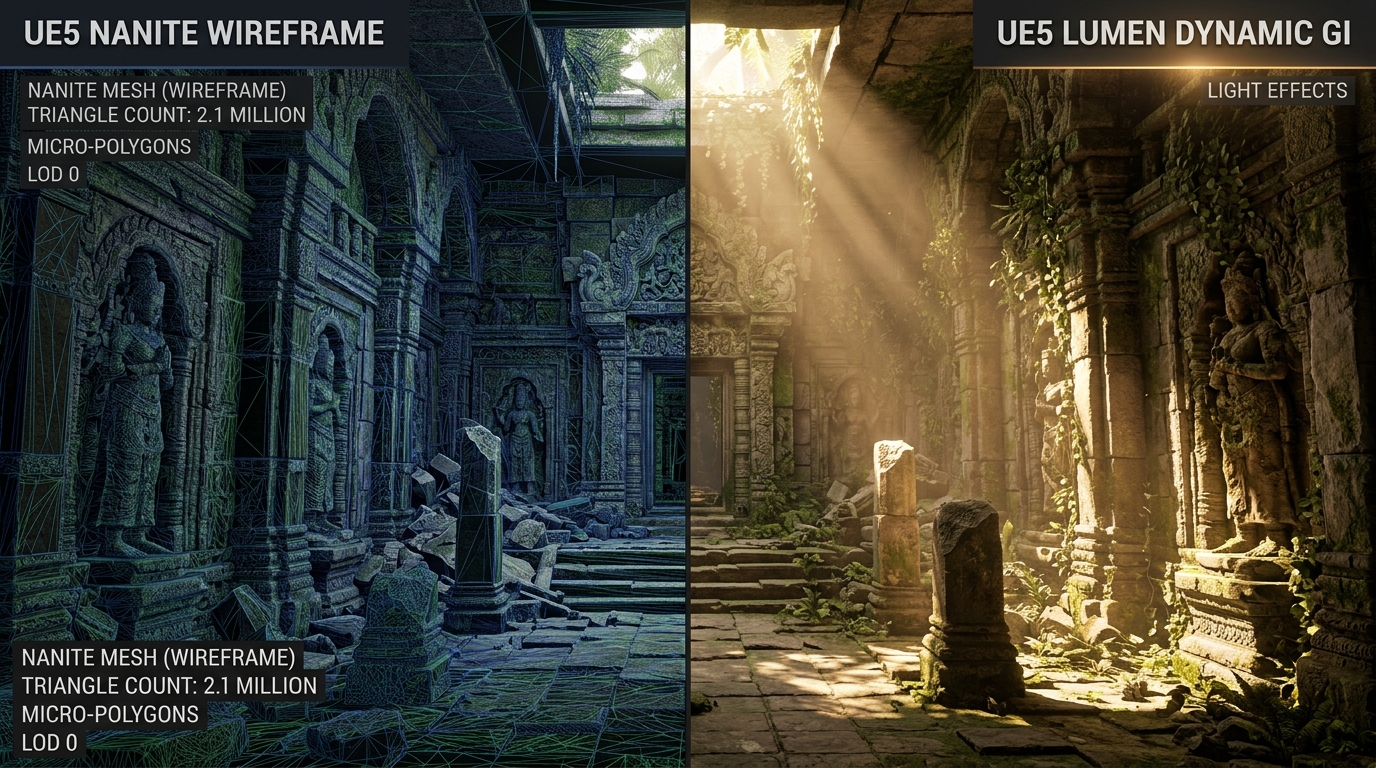
Nanite is a virtualized micro-polygon geometry system. Instead of swapping pre-baked LOD models, Nanite breaks down film-quality cinema assets (with tens of millions of polygons) into continuous hierarchical clusters of micro-polygons that are streamed dynamically directly to the GPU:
* Nanite scales geometry dynamically so that each rendered polygon is approximately the size of a single pixel on your screen.
* You can place millions of identical high-detail stone blocks or architectural carvings into an environment without running out of video memory.
* Result: Zero polygon pop-in, geometric edges with razor-sharp fidelity, and terrain that holds microscopic realism no matter how close you inspect a brick wall.
---
2. Lumen: Real-Time Diffuse Global Illumination
In older game development, lighting was primarily baked:
Artists would calculate how sunlight bounced off green grass onto white stone walls, encode that color into static lightmap textures, and bake it permanently into the level. If a wall was destroyed or time-of-day shifted from noon to midnight, the static baked lighting broke down completely.
The Lumen Architecture:
Lumen is a fully dynamic Global Illumination (GI) and reflection system:
1. When light enters a dark cellar through a broken window, Lumen calculates both the direct beam of light and the subsequent diffuse bounces.
2. If sunlight hits a red carpet on the floor, the light bouncing off that carpet casts an authentic warm red hue onto the surrounding wooden ceiling and white plaster walls.
3. If an explosive barrel detonates and destroys a roof panel, the lighting in the room recalculates in real-time within milliseconds—casting realistic dynamic shadows without requiring artists to bake lightmaps.
Lumen can run using either Software Ray Tracing (approximating geometry through signed distance fields, making it playable on console hardware) or Hardware Ray Tracing (tracing rays against actual Nanite micro-polygons on dedicated RT cores for photorealistic reflections on shiny marble floors and water puddles).
---
3. The PC Stutter Riddle: Why Do UE5 Games Sometimes Stutter?
Despite its visual brilliance, Unreal Engine 5 PC titles have frequently drawn criticism for frame time hitches. What causes this?
1. Shader Compilation Stutter: Modern DirectX 12 games require graphic shaders to be compiled specifically for your unique GPU model and driver version. If a developer fails to implement an upfront shader pre-compilation step at first launch, the game tries to compile complex shaders in real-time mid-game the moment an enemy triggers a new spell effect—resulting in a noticeable 50ms to 200ms freeze.
2. Asset Streaming & Decompression Choke Points: Nanite and high-resolution virtual textures stream gigabytes of raw data per second from your storage drive. Playing modern UE5 titles on an older mechanical hard drive or a low-end SATA SSD will cause severe traversal hitching; these engines mandate high-speed DirectStorage / NVMe PCIe Gen 4 SSDs to feed the GPU pipeline.