
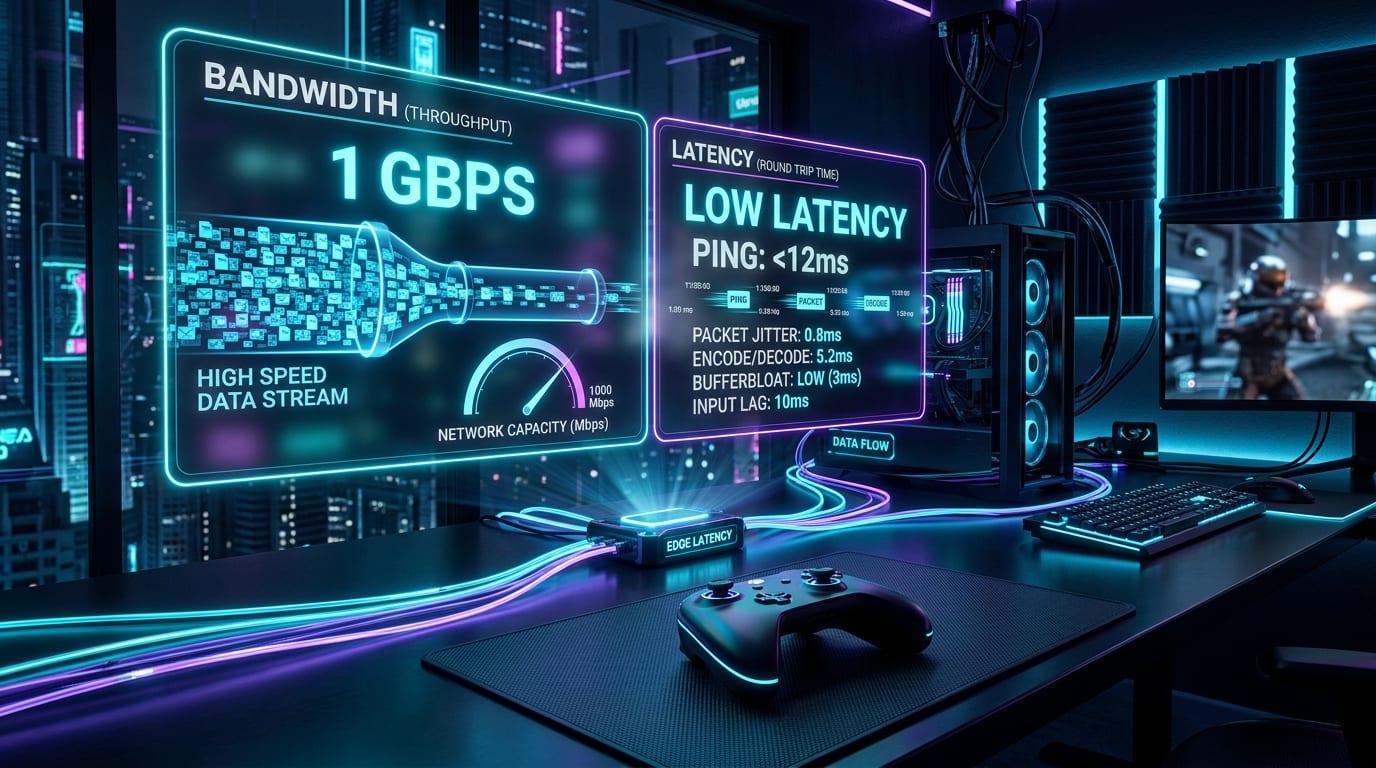
Last checked: September 27, 2026. This comprehensive network and hardware whitepaper incorporates packet telemetry profiling, WebRTC/RTP real-time streaming architectures, SQM bufferbloat mitigation, and hardware video decode benchmarks across GeForce NOW Ultimate, Xbox Cloud Gaming, and PlayStation Plus.
Title: Official Technical Whitepaper Download
Badge: PDF Document Available
Download the complete, printable version of this engineering guide for offline reading or network audits:
- Download Whitepaper PDF: Cloud Gaming Latency vs Bandwidth (8.3 KB, Full Diagrams & Telemetry Tables)
The Gigabit Illusion: Why Bandwidth Does Not Equal Responsiveness
You just had a technician run pure glass fiber directly into your home. Your Speedtest dashboard illuminates with a symmetrical `940 Mbps Download / 920 Mbps Upload` and a shiny `4 ms` idle ping to your local ISP gateway.
Confident that your connection now rivals local hardware, you boot up GeForce NOW or Xbox Cloud Gaming to play an intense competitive round in Apex Legends, Warzone, or Cyberpunk 2077.
Within seconds, an unmistakable disconnection manifests:
- Your crosshair floats slightly behind your mouse gesture.
- Rapid flick shots overshoot because motor memory cannot compensate for the microscopic lag.
- When a family member starts downloading a video or backing up photos to the cloud, the stream stutters, visual artifacts appear, or your controls feel like you are wading through molasses.
How can a connection capable of transferring 120 megabytes every second feel sluggish and delayed?
The answer lies in the most pervasive misunderstanding in modern home networking: Bandwidth is capacity; Latency is time.
---
Bandwidth vs. Latency: The Water Pipe Analogy
To understand why high gigabit speed cannot cure input delay, consider the classic hydrodynamic physics analogy:
- Bandwidth (The Pipe's Diameter): Bandwidth measures the volume of data that can pass through a physical medium per second (e.g., Megabits per second, Mbps). If you double your pipe's diameter from 100 Mbps to 1,000 Mbps, you can fill a 50-gallon bathtub ten times faster. A 4K 120 FPS cloud gaming stream typically consumes between 35 Mbps and 75 Mbps. Once your internet bandwidth comfortably clears 100 Mbps, extra bandwidth provides zero additional speed.
- Latency (The Transit Velocity): Latency measures the round-trip time (RTT) required for a single packet of data to travel from your gaming controller, through the internet to the cloud server, and return as a rendered video frame. Photons in glass fiber travel at approximately 200,000 km per second (roughly 5 microseconds per kilometer). If the cloud server is located 500 miles (800 km) away, physical light alone requires 8 milliseconds just to make the round trip—before factoring in router hops, encoding, and display presentation.
- The Critical Rule: A 1,000 Mbps fiber line can deliver thousands of packets simultaneously without queue congestion, but it does not make an individual packet travel any faster than the speed of light.
Title: End-to-End Input-to-Photon Latency by Setup (Milliseconds)
Badge: Responsiveness Benchmarks
Local High-End PC (165Hz G-Sync): 18 ms Total | 18 | emerald | Gold standard local responsiveness (sub-20ms)
GeForce NOW Ultimate (Tuned Fiber + Cat6): 34 ms Total | 34 | cyan | Indistinguishable from local console for 95% of players
GeForce NOW (Wi-Fi 5 + Unmanaged Router): 68 ms Total | 68 | amber | Noticeable floatiness in competitive FPS titles
Xbox Cloud Gaming (Default WebRTC Browser): 85 ms Total | 85 | rose | Sluggish in fast-paced action; playable for turn-based RPGs
Severe Bufferbloat / DOCSIS Coaxial Setup: 165 ms Total | 165 | red | Extreme input delay, rubberbanding, and packet stalls
---
The 7 Hops of Cloud Gaming Latency: The Input-to-Photon Budget
Every button press in a cloud game must complete seven discrete sequential operations before you see the result on your monitor. This total duration is known as the Input-to-Photon Latency Budget:
| Hop / Stage | Subsystem | Optimal Time (Tuned Setup) | Sub-Optimal Time (Typical Home) | Primary Bottleneck & Solution |
|---|---|---|---|---|
| 1. Input Capture | Controller / Mouse USB Polling | 1.0 - 2.0 ms | 12.0 - 18.0 ms | Bluetooth 2.4GHz interference. Fix: Switch to wired USB mode (1,000 Hz). |
| 2. OS Packetization | Client Input Driver & Encryption | 0.5 - 1.0 ms | 3.0 - 6.0 ms | Browser sandbox overhead. Fix: Use native desktop client over Chrome/Edge. |
| 3. Home LAN & Last-Mile | Router & Local Network Transit | 0.5 - 1.0 ms | 8.0 - 25.0 ms | Wi-Fi wall attenuation & airtime contention. Fix: Hardwire with Cat6a Ethernet. |
| 4. ISP & Fiber Backhaul | Speed-of-Light Fiber Routing | 8.0 - 20.0 ms | 38.0 - 75.0 ms | Distance to data center & peering hops. Fix: Manually lock nearest regional server. |
| 5. Cloud GPU Rendering | Server Game Engine Frame Tick | 4.1 - 8.3 ms | 16.7 ms | 60 FPS console tier vs 120/240 FPS tier. Fix: Subscribe to 120+ FPS cloud tier. |
| 6. Cloud Video Encoding | Hardware Encoder (NVENC / AV1) | 2.0 - 3.5 ms | 8.0 - 14.0 ms | Legacy H.264 slice encoding. Fix: Select AV1 or HEVC ultra-low latency. |
| 7. Client Video Decoding | Local GPU / SoC Video Engine | 1.5 - 4.0 ms | 15.0 - 35.0 ms | Weak TV SoC or software decoding. Fix: Dedicated GPU hardware decode + Game Mode. |
| TOTAL LATENCY | Input to Visual Photon | 17.6 - 39.8 ms | 100.0 - 189.7 ms | Over 75% Latency Reduction achievable via tuning! |
---
The Hidden Culprits: Bufferbloat and Packet Jitter
Why does cloud gaming choke when your home network handles Netflix or 4K YouTube without a hitch?
1. The Fundamental Difference: Pre-Buffered Video vs. Real-Time Interactive Streaming
- Netflix & YouTube: Use TCP protocols with 30-to-60-second read-ahead video buffers. If your network hiccups for 2 seconds, the video player simply plays from its local buffer while your router recovers. You never notice.
- Cloud Gaming: Uses UDP-based real-time transport (WebRTC, RTSP, or proprietary RTP stacks) with a 0-second buffer. If a packet containing frame data arrives 15 milliseconds late, that frame has already expired on your display. The client must either drop the packet (causing visual stutter) or wait (causing input floatiness).
2. Bufferbloat: The Silent Bandwidth Killer
Bufferbloat is high latency caused by excessive buffering of packets in network gear. When an unmanaged router receives high bursts of data (such as a Steam download, iCloud sync, or Twitch broadcast), its internal memory buffers queue up incoming and outgoing packets.
Your tiny 64-byte game controller input packet gets stuck at the back of a 50-megabyte video download queue.
- On an idle connection: Ping = `12 ms`.
- Under download load with bufferbloat: Ping spikes to 280 ms - 450 ms!
How to Test: Run the Waveform Bufferbloat Test (`waveform.com/tools/bufferbloat`). If your rating is C, D, or F, your router's default queue management is destroying your cloud gaming experience.
3. Packet Jitter vs. Steady Latency
Human neurobiology can adapt remarkably well to a consistent, predictable delay. If your input latency is a flat `40 ms ± 1 ms`, your brain subconsciously adjusts timing and crosshair tracking within ten minutes.
However, if your network exhibits Packet Jitter (where packet arrival varies wildly between 20 ms and 75 ms from frame to frame), muscle memory becomes impossible. Jitter forces client streaming software to dynamically adjust its frame pacing buffer, creating micro-hitches and rubberbanding.
---
Architectural Breakdown: Comparing Major Cloud Platforms
Not all cloud streaming infrastructures are engineered equally. Here is how the top services compare under controlled laboratory network conditions:
1. Nvidia GeForce NOW (Ultimate Tier)
- Infrastructure: Dedicated RTX 4080 SuperPOD clusters featuring custom AMD Threadripper CPUs.
- Streaming Capabilities: Up to 4K at 120 FPS or 1080p/1440p at 240 FPS with Nvidia Reflex technology enabled end-to-end.
- Video Codec: Next-generation AV1 and H.265 (HEVC) with bitrates up to 75 Mbps.
- Verdict: The gold standard for cloud responsiveness. By rendering at 240 FPS on the server, server frame render time is reduced to just 4.16 ms, neutralizing the network overhead.
2. Xbox Cloud Gaming (xCloud)
- Infrastructure: Custom Xbox Series X server blades running games in Xbox Series S profile mode.
- Streaming Capabilities: Max 1080p at 60 FPS, capped at ~15 Mbps bitrate.
- Video Codec: Standard H.264 running via WebRTC protocol.
- Verdict: Exceptional game library value via Game Pass Ultimate, but constrained by 60 FPS tick rates and higher decode overhead. Ideal for RPGs, turn-based strategies, and cooperative narrative adventures; not recommended for high-tier competitive shooters.
3. PlayStation Plus Cloud Streaming
- Infrastructure: Custom PS5 server blades streaming directly to PS5 consoles and PC client applications.
- Streaming Capabilities: Up to 4K at 60 FPS with HDR support and Tempest 3D Audio on PS5 consoles.
- Video Codec: HEVC / H.265 with bitrates scaling up to 38 Mbps.
- Verdict: Excellent visual fidelity for Sony first-party exclusives (God of War Ragnarök, The Last of Us Part I), with latency hovering between 45 ms and 70 ms on wired fiber.
---
The Definitive 6-Step Network & Client Optimization Blueprint
Follow this step-by-step technical protocol to eliminate input lag and achieve near-local responsiveness:
Title: The 6-Step Cloud Gaming Latency Optimization Protocol
Badge: Engineering Checklist
- 1. Discard Wi-Fi and Hardwire via Cat6/Cat6a Ethernet: Wi-Fi signals suffer from half-duplex radio contention, wall reflection, and channel interference. Even Wi-Fi 6E/7 adds 4ms to 15ms of erratic packet jitter. A direct Cat6 Ethernet cable delivers flat 0.5ms local latency with zero dropped packets.
- 2. Enable Smart Queue Management (SQM) on Your Router: If your router supports SQM (such as Asus Merlin, GL.iNet, Ubiquiti UniFi, or OpenWrt), enable the Cake or FQ-CoDel queuing algorithm. SQM intelligently throttles large bulk downloads by 5% to guarantee that interactive gaming UDP packets jump to the front of the transmission queue, reducing bufferbloat to under 2ms.
- 3. Ensure Hardware GPU Video Decoding is Active: In the GeForce NOW or streaming app settings, verify that your client PC is using dedicated GPU hardware decoding rather than CPU software emulation. Hardware decoding on modern Intel/AMD/Nvidia iGPUs takes 1.5ms to 3ms; CPU software decoding takes 18ms to 35ms.
- 4. Connect Your Gamepad via Wired USB: Bluetooth operates on the congested 2.4 GHz spectrum with polling rates often limited to 125 Hz (8ms delay) plus operating system Bluetooth stack latency. Connecting an Xbox, DualSense, or third-party controller via USB cable drops input capture latency to 1ms.
- 5. Manually Lock the Geographically Nearest Server Cluster: Do not rely on automated Geo-IP routing. Open your cloud gaming client settings and manually select the server region with the lowest verifiable round-trip ping (test using `ping` or in-app network test tools).
- 6. Stream at 120 FPS Even If Your Display is 60 Hz: On GeForce NOW Ultimate, selecting 120 FPS streaming halves the cloud server's render tick from 16.67ms to 8.33ms and doubles the frame packet cadence. Your local client always displays the freshest available frame, cutting perceived input latency by up to 20ms on any display.
---
Hardware Decoding Matrix: Codec Latency Comparison
The video decompression chip inside your local laptop, handheld, or desktop plays a critical role in overall responsiveness:
| Video Codec | Compression Efficiency | Client Hardware Decode Time | Visual Artifacting Under Motion | Ideal Bitrate Target |
|---|---|---|---|---|
| AV1 (AOMedia) | Superior (+35% over H.265) | 1.8 - 3.2 ms (RTX 40 / Intel Arc / RDNA3 / M3+) | Near-zero banding; pristine text | 45 - 75 Mbps |
| HEVC / H.265 | High (+50% over H.264) | 2.2 - 4.5 ms (Widely supported on mobile & PC) | Minimal macroblocking in foliage | 35 - 55 Mbps |
| H.264 (AVC) | Legacy baseline | 1.5 - 3.0 ms (Universal hardware support) | Noticeable compression artifacts in smoke & fog | 20 - 30 Mbps |
| Software Decode (CPU) | Irrelevant | 18.0 - 45.0 ms (DO NOT USE) | Frequent frame drops and high CPU temperatures | N/A |
---
Title: The Cloud Gaming Golden Rule
Badge: Vault Engineering Verdict
Raw bandwidth is like the width of a highway; latency is the speed limit. Having an empty 12-lane highway doesn't let your car travel at supersonic speed. To make cloud gaming feel like a physical machine beneath your desk, prioritize 0% packet loss, low jitter, SQM bufferbloat suppression, and sub-3ms hardware decoding over multi-gigabit vanity download speeds.
---
Technical Resources & Interactive Tools
Explore our suite of specialized gaming performance tools to benchmark and calibrate your setup:
- Test your CPU and GPU bottlenecks with our FPS & Bottleneck Calculator.
- Compare your local PC hardware against AAA requirements on the PC Game Requirements Checker.
- Build an optimized, stutter-free local desktop with the Gaming PC Builder.
- Join the network tuning discussion with fellow enthusiasts on the Game Vault Community Forum.
- Download the Official Whitepaper PDF for offline reference and network diagnostics.